I Used Claude AI to Automate My Cold Calling - Here's the System
I stared at my CRM dashboard showing 47 prospects to call that morning. Each one needed research - LinkedIn profile, company news, mutual connections, recent posts. At 30 minutes per prospect, I'd spend my entire day preparing instead of selling.
That's when I decided to build an AI research assistant using Claude and HighLevel. The system now handles prospect intelligence automatically, feeding me conversation starters before I dial. Here's exactly how it works and what I learned building it.
The Manual Research Problem
According to Salesforce's State of Sales Report, sales reps spend only 28% of their time actually selling (source), with the rest consumed by data entry, internal meetings, and administrative tasks. Prospect research falls squarely into that administrative bucket.
Before automation, my pre-call routine looked like this: open LinkedIn, scan their recent activity, check company news on Google, look for mutual connections, then manually type notes into HighLevel. Multiply that by 40-50 calls per day.
The math didn't work. I needed a system that could gather intelligence while I focused on actual conversations.
Building the Claude Research Pipeline
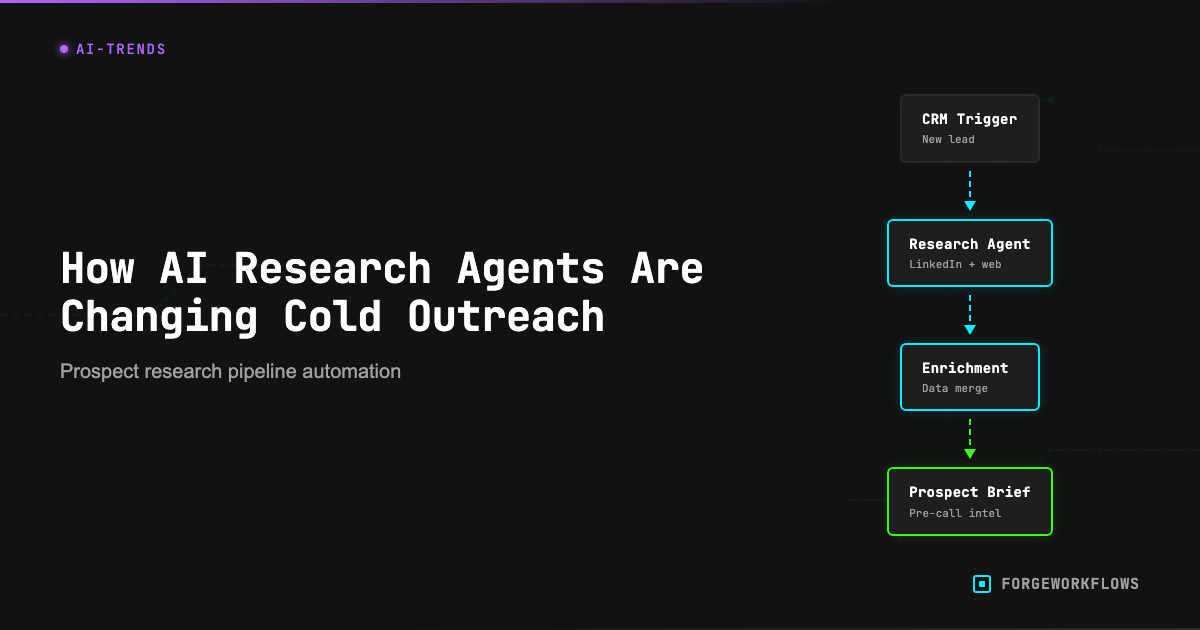
I connected Claude to HighLevel through n8n workflows, creating a research pipeline that triggers whenever a new lead enters my CRM. The system pulls public data from multiple sources and generates talking points automatically.
The workflow starts with a HighLevel webhook. When I add a prospect, it sends their name and company to Claude with specific research instructions:
"Research this prospect: [Name] at [Company]. Find recent LinkedIn activity, company news from the past 30 days, and any mutual connections. Format as bullet points for a cold call."
Claude searches public sources and returns structured intelligence within 60 seconds. The output gets written back to the contact record in HighLevel, ready when I dial.
What the AI Actually Finds
The research quality surprised me. Claude identifies patterns I'd miss manually - like a prospect posting about budget planning in Q4, or their company announcing a new product launch. These become natural conversation openers.
Recent example: Claude found that a marketing director had posted about struggling with lead attribution. When I called, I opened with "I saw your post about attribution challenges - we've helped three companies in your space solve exactly that problem." Instant credibility.
The system also flags negative signals. If someone posts about layoffs or budget freezes, Claude marks them as "low priority" and suggests waiting 90 days before outreach.
The Hidden Costs of AI Research
I learned this the expensive way: Anthropic's web search tool costs $10 per 1,000 searches - about a penny per search. Sounds cheap until you realize the tool also injects the full web content into the context window. That's 30,000-40,000 input tokens per search, billed at the model's per-token rate.
For my system running 3 searches per lead, the web search fee is $0.03 - but the token cost from injected content adds another $0.06. The search fee is a third of the actual cost. I now track total cost per lead, not just the API line item.
At current volume, I spend about $0.15 per researched prospect. That's still cheaper than paying someone to do manual research, but the costs add up faster than expected.
Privacy and Ethical Boundaries
Using AI for prospect research raises legitimate privacy questions. I only pull publicly available information - LinkedIn posts, company press releases, industry news. Nothing behind login walls or from private social accounts.
The key distinction: I'm automating research I could do manually, not accessing restricted data. If a prospect wouldn't want their public LinkedIn activity referenced in a sales call, they probably shouldn't post it publicly.
That said, I'm transparent about using AI research when prospects ask. Most appreciate the preparation - it shows I've done homework instead of making generic pitches.
Results After Six Months
The numbers tell the story. My call preparation time dropped from 30 minutes to under 5 minutes per prospect. More importantly, conversation quality improved because I enter every call with relevant talking points.
Connection rates increased because I can reference specific, recent information. Instead of "I noticed you work in marketing," I say "I saw your post about the attribution project - how's that going?"
The system isn't perfect. Claude occasionally misinterprets context or finds outdated information. I still review the research before calling, but now I'm fact-checking instead of starting from scratch.
What I'd Do Differently
Build cost monitoring from day one. I didn't track per-lead costs initially and got surprised by my first month's bill. Now I monitor token usage and adjust search depth based on lead value.
Add negative signal detection earlier. The system now flags prospects posting about budget cuts or hiring freezes, but I wish I'd built that filter from the start. Saved me from several awkward calls.
Create research templates by industry. A SaaS startup needs different intelligence than a manufacturing company. Industry-specific research prompts would improve relevance and reduce token waste.