Build a Marketing Plugin in Claude That Does the Work of 3 Tools
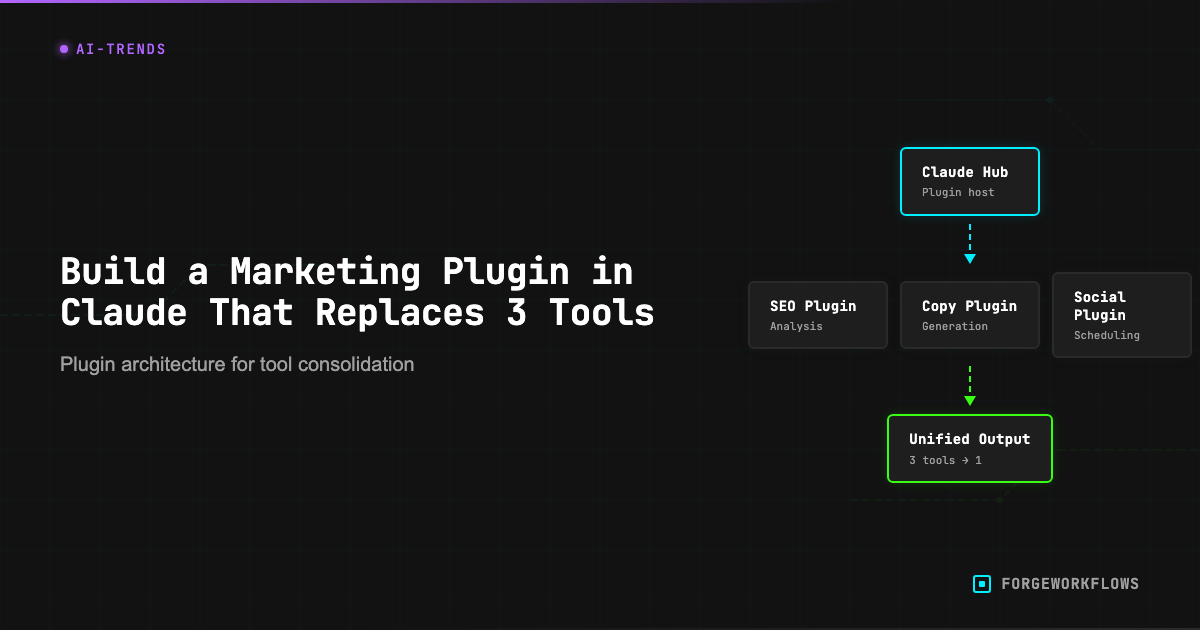
I watched our content manager switch between seven browser tabs to publish one LinkedIn post last week. Research in Ahrefs, writing in Notion, editing in Grammarly, scheduling in Buffer, tracking in HubSpot. Twenty-three minutes for a task that should take five.
This is the tool fragmentation problem. Your team pays for multiple subscriptions, learns multiple interfaces, and wastes hours moving data between systems. Claude's custom plugins eliminate this entirely.
According to McKinsey's 2024 State of AI report, 72% of organizations now use AI in at least one business function, up from 50% in previous years. But most teams still treat AI as another tool in their stack instead of the consolidation layer that replaces the stack.
The Plugin Architecture That Replaces Your Tool Stack
A Claude plugin isn't software you install. It's a conversation template with specific instructions that Claude follows consistently. Think of it as a digital employee who never forgets the process.
We built our first marketing plugin after realizing our content team spent more time managing tools than creating content. The plugin handles five functions that previously required separate subscriptions:
- Competitive research - analyzes competitor content and identifies gaps
- Content generation - writes posts optimized for specific platforms
- Brand voice consistency - applies style guidelines automatically
- Distribution planning - suggests posting schedules and platform variations
- Performance prediction - estimates engagement based on historical patterns
The entire workflow runs in one Claude conversation. No API keys, no integrations, no monthly subscriptions beyond Claude Pro.
Building Your First Marketing Plugin
Start with the slash command structure. Claude treats anything after a forward slash as a custom command you've defined. Here's the foundation:
/content-engine [topic] [platform] [tone]
When you type this command, Claude executes a predefined sequence. The plugin I use for LinkedIn content looks like this:
"When I use /content-engine, follow these steps: 1) Research the topic using your knowledge base and identify 3 unique angles competitors haven't covered. 2) Write a LinkedIn post in our brand voice (direct, data-driven, no buzzwords). 3) Include one specific statistic or example. 4) End with a question that drives comments. 5) Suggest 3 hashtags based on current LinkedIn trends."
The key is specificity. Vague instructions produce inconsistent results. Define exactly what "brand voice" means, what constitutes a "good" statistic, and how long the output should be.
I made this mistake myself - built five different content commands simultaneously, none finished. The plugin kept producing generic marketing copy because I hadn't defined our actual voice guidelines. Now I include examples of posts that performed well and posts that didn't, with explanations of why.
Department-Specific Plugin Templates
Different teams need different automation. Here are three plugin templates you can copy and customize:
Sales Team: /prospect-research [company] [contact]
This plugin researches prospects before calls. It analyzes the company's recent news, identifies potential pain points, and suggests conversation starters. The output includes three talking points, two relevant case studies, and one question about their current challenges.
Support Team: /response-generator [ticket-type] [urgency]
Generates customer support responses that match your brand voice and include relevant help documentation links. The plugin maintains a helpful tone while escalating complex issues appropriately.
Content Team: /repurpose-content [original-content] [new-platform]
Takes existing content and adapts it for different platforms. A blog post becomes a Twitter thread, LinkedIn carousel, and email newsletter section. Each version maintains the core message while optimizing for platform-specific engagement patterns.
Zero-Friction Team Deployment
Traditional automation platforms require IT approval, user training, and integration setup. Claude plugins deploy instantly.
Share your plugin by copying the instruction text into your team's Claude workspace. Every team member can use the same slash commands immediately. No onboarding, no permissions, no technical setup.
We tested this with our sales team. I built a prospect research plugin on Monday, shared it in Slack on Tuesday, and by Friday the entire team was using it for call preparation. Compare that to our last software rollout, which took six weeks and required three training sessions.
The team plan feature makes this even more powerful. Plugins become shared knowledge that improves as team members add refinements. When someone discovers a better prompt structure, everyone benefits immediately.
Advanced Plugin Capabilities
Basic plugins handle single tasks. Advanced plugins manage entire workflows.
Our most sophisticated plugin runs our weekly content planning process. It analyzes performance data from previous posts, identifies trending topics in our industry, and generates a content calendar with specific post ideas for each platform.
The plugin asks clarifying questions when it needs more context. If I request content about "automation," it asks whether I mean marketing automation, sales automation, or workflow automation. This prevents generic output and ensures relevance.
You can also build conditional logic into plugins. Our customer support plugin responds differently based on ticket urgency. High-priority issues get immediate escalation language, while routine questions get detailed self-service instructions.
What We'd Do Differently
Start with one plugin and perfect it before building others. We initially tried to automate everything simultaneously and ended up with half-functional plugins that nobody used consistently.
Include negative examples in your plugin instructions. Tell Claude what NOT to do, not just what to do. Our content plugin improved dramatically when we added examples of posts that performed poorly and explained why.
Build feedback loops into your plugins. After each use, ask Claude to suggest improvements to the output or the process. These suggestions often reveal gaps in your original instructions that you can fix for next time.