How We Test Every Blueprint: The ITP Process Explained
What Is ITP
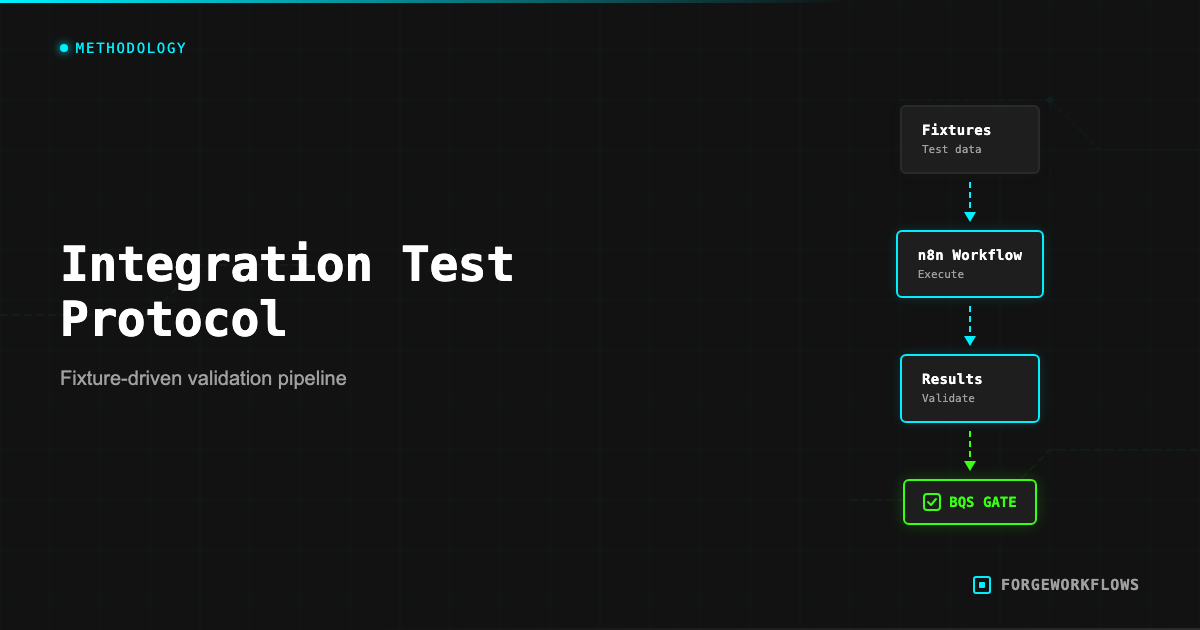
The Inspection and Test Plan (ITP) is a structured testing protocol applied to every ForgeWorkflows Blueprint before listing. While BQS audits the documentation, structure, and completeness of a Blueprint, ITP tests whether the Blueprint actually works correctly with real data and real API calls.
The distinction matters. A Blueprint can pass BQS (all files present, all documentation complete) but still produce incorrect output - for example, a scoring agent that assigns random scores, or a routing agent that sends every record down the same path regardless of input. ITP catches these functional failures.
ITP testing is not unit testing in the software engineering sense. n8n workflows are not functions with clean input/output boundaries. They are multi-step pipelines that call external APIs, process variable-quality data, and produce outputs that require judgment to evaluate. ITP is designed for this reality: it uses structured test fixtures, defines expected behaviors (not exact outputs), and measures cost as a first-class test dimension.
Every product page displays ITP results. When you see "ITP: all milestones PASS" on a product page, it means the Blueprint was tested against representative data and produced correct results at every milestone in the pipeline.
Test Fixture Design
A test fixture is a set of input data designed to exercise the Blueprint pipeline under realistic conditions. Good fixtures test both the happy path and the edge cases. Here is how ITP fixtures are designed:
Realistic data. Fixtures use data that resembles what the Blueprint will encounter in production. For a CRM integration, this means contacts with realistic field values: names, company names, deal sizes, activity dates. Synthetic, but structurally valid.
Edge case coverage. Every fixture set includes records designed to test boundary conditions:
- Records with missing fields (empty name, no activity history, null deal value)
- Records that should score at the extremes (very high, very low)
- Records with unusual formatting (special characters in names, very long text fields)
- Records that should trigger different routing paths (e.g., high-intent vs. low-intent in a classifier)
Volume calibration. Fixtures include enough records to exercise the pipeline meaningfully, but not so many that testing becomes expensive. Typical fixture sets contain 5-20 records, calibrated to cover all routing paths in the pipeline.
The test fixtures are included in the Blueprint bundle. You can use them to verify your own deployment works correctly - run the fixtures through your instance and compare results against the ITP baseline documented on the product page.
The test fixtures in your Blueprint bundle double as a deployment verification tool. Run them through your instance after setup to confirm everything works before switching to production data.
Running the Tests
ITP testing is performed on a dedicated n8n instance with production-equivalent configuration. Here is the process:
- Clean import. Import the Blueprint workflow JSON into a fresh n8n instance. Configure all credentials with active API keys.
- Fixture injection. Feed the test fixture data into the pipeline trigger (manual execution with test data, or via the test webhook URL).
- Milestone observation. At each agent handoff in the pipeline, record the output. Each handoff is a "milestone" - a checkpoint where the output is validated against expected behavior.
- Output validation. Compare the final pipeline output against expected results. For scoring agents, verify scores fall within expected ranges. For routing agents, verify records are routed to the correct path. For generation agents, verify the output contains required sections and addresses the input data.
- Cost measurement. Record the total Anthropic API cost for the full test run. Divide by the number of fixture records to get the per-execution cost. This becomes the ITP-measured cost displayed on the product page.
- Error injection. Deliberately introduce error conditions (invalid API key, malformed input, empty response) to verify error handling paths work as documented in the error handling matrix.
Each milestone is graded PASS or FAIL. A Blueprint passes ITP only if all milestones pass across all fixture records. A single milestone failure on a single record sends the Blueprint back for fixes.
Reading ITP Results
Every ForgeWorkflows product page includes ITP results. Here is how to read them:
"ITP: all milestones PASS" means every agent handoff in the pipeline produced correct output for all test fixture records. The pipeline works from trigger to output.
Per-execution cost is the ITP-measured Anthropic API cost for one complete pipeline run. This is a real measurement from actual API calls during testing, not an estimate. The cost is listed in the product page tech specs (e.g., "Cost per lead: $0.03 ITP-measured, 5 records").
The record count matters. "ITP-measured, 5 records" means the cost was measured by running 5 test records through the pipeline and dividing the total cost by 5. This gives you a per-record cost that is representative but may vary slightly with different data. Longer input text (e.g., a very detailed call transcript vs. a brief one) will produce higher costs due to more input tokens.
BQS and ITP together provide a complete quality picture:
- BQS answers: "Is this Blueprint well-documented, well-structured, and complete?"
- ITP answers: "Does this Blueprint actually work correctly and how much does it cost?"
A Blueprint that passes both BQS and ITP has been audited for documentation quality and tested for functional correctness. This is the standard every product on the ForgeWorkflows storefront meets.
ITP costs are measured, not estimated. The per-execution cost on the product page reflects actual Anthropic API billing during structured testing. Your actual cost may vary slightly based on input data length.
What Happens When Tests Fail
ITP failures are common during Blueprint development. They are the reason the testing protocol exists - to catch issues before the Blueprint reaches buyers. Here are typical failure patterns and how they are resolved:
Score drift. A scoring agent produces scores that vary widely across runs for the same input. This indicates the prompt lacks sufficient constraints or the scoring criteria are ambiguous. Fix: tighten the prompt with explicit scoring rubrics and add examples of expected scores for given inputs.
Routing errors. A record that should route to Path A goes to Path B. This usually means the routing condition is based on a threshold that does not match the agent output range. Fix: calibrate the threshold against actual test output, or adjust the agent prompt to produce scores in the expected range.
Missing output fields. An agent produces output missing required fields. The downstream agent fails because it expects those fields. Fix: add explicit output format instructions to the prompt and validate the output schema before passing it downstream.
Cost overrun. The per-execution cost exceeds the acceptable range for the Blueprint price point. Fix: reassign lower-tier models to agents that do not require heavy reasoning, reduce prompt verbosity (shorter system prompts = fewer input tokens), or add pre-filtering to skip expensive calls for simple records.
A Blueprint that fails ITP is not listed. It goes back to development, the issues are resolved, and ITP is re-run from scratch. There is no "conditional pass" or "pass with exceptions."
ITP Results You Can Verify
ITP is not a black box. The test fixtures are included in your Blueprint bundle, and the expected results are documented. This means you can re-run the ITP tests on your own instance and compare your results against the published baseline.
Why would you do this? Two reasons:
- Deployment verification. After configuring your Blueprint, running the test fixtures confirms that your instance, credentials, and configuration produce the same results as the tested configuration. If your results match, you know the deployment is correct.
- Customization baseline. Before modifying prompts, thresholds, or routing logic, run the fixtures to establish your baseline. After making changes, re-run the fixtures to see how your modifications affected the output. This gives you a quantitative before/after comparison.
To run an ITP verification:
- Open the test fixture data from your bundle (usually in a
test-fixtures/directory). - Feed the fixture records into your workflow via manual execution.
- Compare the output at each milestone against the expected behavior documented in the bundle.
- Note the Anthropic API cost for the run and compare it to the ITP-measured cost on the product page.
If your results differ significantly from the ITP baseline, check: API model version (Anthropic may have updated the model since the ITP was run), credential permissions (missing scopes can produce different behavior), and n8n version (older versions may handle data differently).
For the full ITP specification, see the Inspection and Test Plan methodology page.
Run the ITP test fixtures on your own instance after deployment. Matching results confirm your setup is correct. Divergent results point you to credential, version, or configuration issues.
Related
Frequently Asked Questions
What is an Inspection and Test Plan in the context of workflow automation?+
An ITP is a structured testing protocol borrowed from engineering disciplines. For ForgeWorkflows, it means every blueprint is tested against defined fixtures with expected outputs, measured pass rates, and documented edge-case behavior before it ships.
How are test fixtures designed for each blueprint?+
Test fixtures simulate real-world inputs — CRM records, email threads, Slack messages — that the blueprint will process in production. Fixtures include normal cases, boundary conditions, and known failure patterns to verify the workflow handles each correctly.
Where can I see ITP results for a specific product?+
ITP results are published on every product page under the Test Results section. You can see the number of test cases run, pass/fail counts, and the specific scenarios tested. These results are from actual test runs, not projections.