What Goes Into a ForgeWorkflows Logic Bundle (And Why)
The JSON Workflow
The core of every Blueprint bundle is the workflow.json file. This is the n8n workflow definition - the file you import into n8n to get the pipeline running on your instance. It contains every node, every connection, every configuration parameter, and every routing condition.
The JSON file is human-readable (though dense). You can open it in any text editor and see the full workflow structure. Each node is a JSON object with a type (e.g., "n8n-nodes-base.httpRequest"), configuration parameters, and connection references to upstream and downstream nodes.
Why we ship the raw JSON instead of a hosted solution: you own it. There is no subscription. There is no license server. There is no dependency on ForgeWorkflows infrastructure to run your workflow. If our website goes offline tomorrow, your workflow keeps running. This is a deliberate architectural choice - Blueprints are products you buy, not services you rent.
The JSON file is also the reason we can make the "no obfuscated code" guarantee. You can inspect every node, understand every routing decision, and modify anything. There is no compiled layer between you and the logic.
System Prompts
Every agent node in the workflow is driven by a system prompt - a set of instructions that tells the reasoning-grade LLM what role to play, what input to expect, what output to produce, and how to handle edge cases. These prompts are the intellectual core of the Blueprint.
In the bundle, prompts are stored as separate .txt files in the prompts/ directory, one file per agent. They are also embedded in the corresponding n8n agent node configuration. The separate files exist for two reasons:
- Readability. It is easier to read and edit a prompt in a text file than inside an n8n node JSON configuration.
- Version tracking. You can diff prompt files to see what changed between versions.
A typical prompt file includes: role definition ("You are a lead scoring analyst..."), input specification ("You will receive a JSON object with the following fields..."), scoring criteria or analysis framework, output format specification ("Return a JSON object with these fields..."), and edge case instructions ("If the input contains no activity history, return a score of 0 with reason: insufficient data").
The prompts are the most common customization point. Teams modify prompts to adjust terminology, scoring weights, output formats, and tone. See How to Customize a ForgeWorkflows Blueprint for guidance on prompt modifications.
10-Minute README
Every bundle includes a README.md designed to get you from "downloaded the ZIP" to "first successful execution" in under 10 minutes. The README follows a standardized structure across all Blueprints:
- Overview. One paragraph describing what the Blueprint does and who it is for.
- Prerequisites. Exact list of required services, API keys, n8n version, and estimated costs.
- Dependency matrix. A table listing every external service, the credential type required, where to get the credential, and the required scopes/permissions.
- Quick start. Step-by-step instructions for importing the workflow, configuring credentials, and running a test execution. Numbered steps, no ambiguity.
- Customization. Notes on what is safe to change (thresholds, prompts, output destinations) and what should be left alone (pipeline architecture, agent order).
- Troubleshooting. Common issues and their fixes, mapped to the error handling matrix.
The 10-minute target is based on actual deployment testing. During ITP, the README is validated: a tester follows the README from scratch and confirms they can reach a successful first execution within the stated time frame. If the README is unclear or incomplete, it fails BQS point 12.
Error Handling Matrix
The error-handling-matrix.md is a reference document that maps every failure mode in the pipeline to a recovery action. It is structured as a table with four columns:
- Error condition: What went wrong (e.g., "Anthropic API returns 429 rate limit exceeded").
- Affected node: Which node in the workflow encounters this error.
- Pipeline behavior: What happens - does the pipeline retry, skip the record, halt, or route to a fallback path?
- Recovery action: What you need to do to fix it (e.g., "Wait 60 seconds and re-execute, or upgrade your Anthropic rate limit tier").
The matrix covers: authentication failures (expired tokens, missing scopes), rate limiting (API quotas exceeded), network errors (timeouts, DNS failures), data issues (malformed input, empty responses), and logic errors (unexpected output format from an agent). The goal is that when something breaks, you open the matrix, find the error, and know exactly what to do.
The error handling matrix is also a BQS requirement (BQS point 4). A Blueprint cannot be listed without comprehensive error documentation. This is one of the most time-consuming parts of Blueprint development - and one of the most valuable for buyers.
Schemas
The schemas/ directory contains JSON Schema files that define the data contract at each agent handoff point. If Agent A outputs data that Agent B consumes, there is a schema file that describes exactly what fields are expected, what types they are, and which are required.
Schemas serve three purposes:
- Documentation. You can read the schema to understand what data flows between agents without reading the full prompt or inspecting n8n node configurations.
- Validation. If you modify an agent prompt and the output no longer matches the schema, you know you have a contract violation before it causes a downstream failure.
- Integration. If you want to pipe Blueprint output into your own systems, the output schema tells you exactly what fields and types to expect.
Schemas are especially useful when customizing Blueprints. If you change Agent A output format, check the schema for Agent B input to make sure your change is compatible. This prevents the most common customization failure: modifying one agent output without updating the downstream agent expectations.
Test Fixtures
The test-fixtures/ directory contains the sample data used during ITP testing. These are the records that were fed through the pipeline to validate correctness and measure cost.
Test fixtures are synthetic data - they do not contain real customer information. But they are structurally realistic: field names match what your CRM would produce, values are in realistic ranges, and edge cases (empty fields, extreme values, unusual formats) are represented.
You can use test fixtures for:
- Deployment verification. Run the fixtures through your instance after setup. If your results match the ITP baseline, your deployment is correct.
- Customization testing. Before and after modifying prompts or thresholds, run the fixtures to measure the impact of your changes.
- Team training. Show your team what the Blueprint does by running the fixtures and reviewing the output together.
Every Blueprint bundle includes test fixtures as a standard component. This is part of the BQS standard - tested, documented, verifiable.
Why You Get Everything
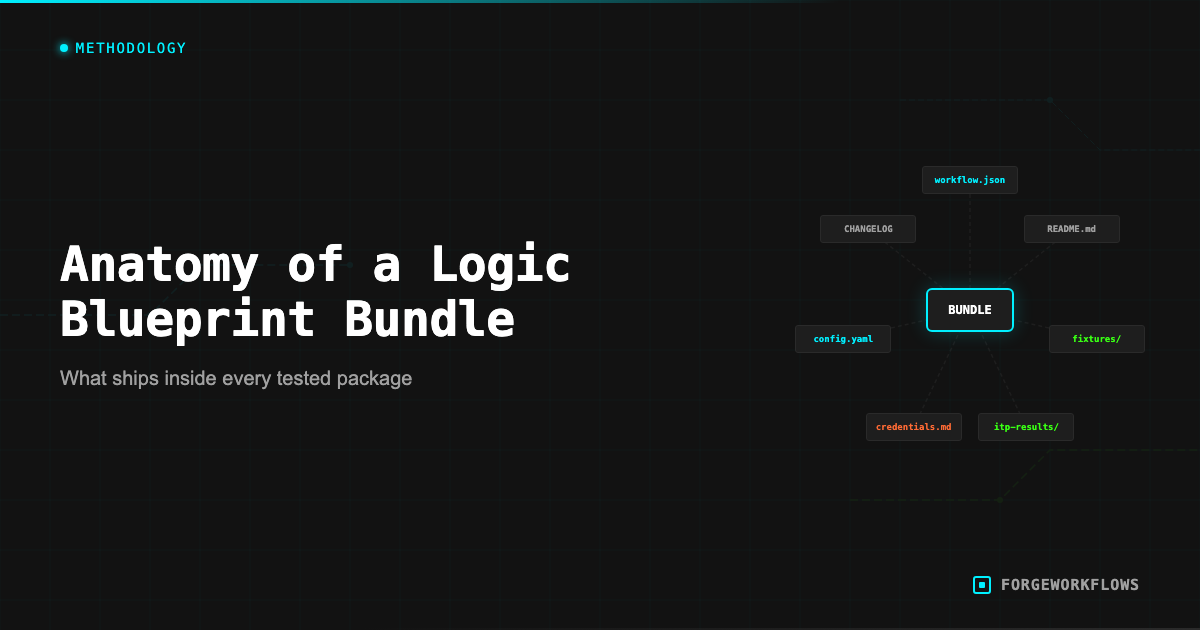
Some automation vendors sell you a black box: it works (or it does not), and you have no visibility into how. ForgeWorkflows takes the opposite approach. You get every file, every prompt, every schema, every test fixture, and every error handling document. Here is why:
Trust through transparency. When you can read the agent prompts, inspect the routing logic, and run the test fixtures yourself, you do not have to take our word for it. You can verify quality independently. The BQS and ITP certifications are checkable claims, not marketing assertions.
Customization is expected. No two B2B teams operate identically. Your scoring criteria, terminology, output preferences, and integration requirements are specific to your organization. Giving you all the source files means you can customize without hitting a wall.
No vendor dependency. Your workflow runs on your infrastructure, with your API keys, processing your data. If ForgeWorkflows ceased operations tomorrow, every Blueprint you purchased would continue running. The files are yours.
This is the Bundle philosophy: buy once, own everything, modify freely. No subscription, no license renewal, no feature gates. You get the complete working system, fully documented, ITP-tested, BQS-certified, and ready to deploy.
Browse all available Blueprints at /blueprints and review the full bundle contents on any product page.
Every Blueprint bundle is a complete, self-contained deployment package. No external dependencies on ForgeWorkflows infrastructure. No phone-home. No license server. You own the files.
Frequently Asked Questions
What files are included in a ForgeWorkflows Logic Bundle?+
Every bundle includes the workflow JSON, system prompts for each agent, a 10-Minute README, an error handling matrix, input/output schemas, and test fixtures with expected results. Some bundles also include configuration templates for specific CRM setups.
Why are test fixtures included in the bundle?+
Test fixtures let you verify the workflow works correctly in your environment before running it on live data. You import the fixtures, run the workflow, and compare outputs to the expected results. This catches credential issues, permission gaps, or configuration errors early.
Can I use the system prompts from the bundle in other tools besides n8n?+
The system prompts are plain text and model-agnostic. You can adapt them for use in other orchestration tools, custom scripts, or API calls. However, the workflow JSON and error handling logic are specific to n8n.