How to Set Up API Credentials for Your First Blueprint
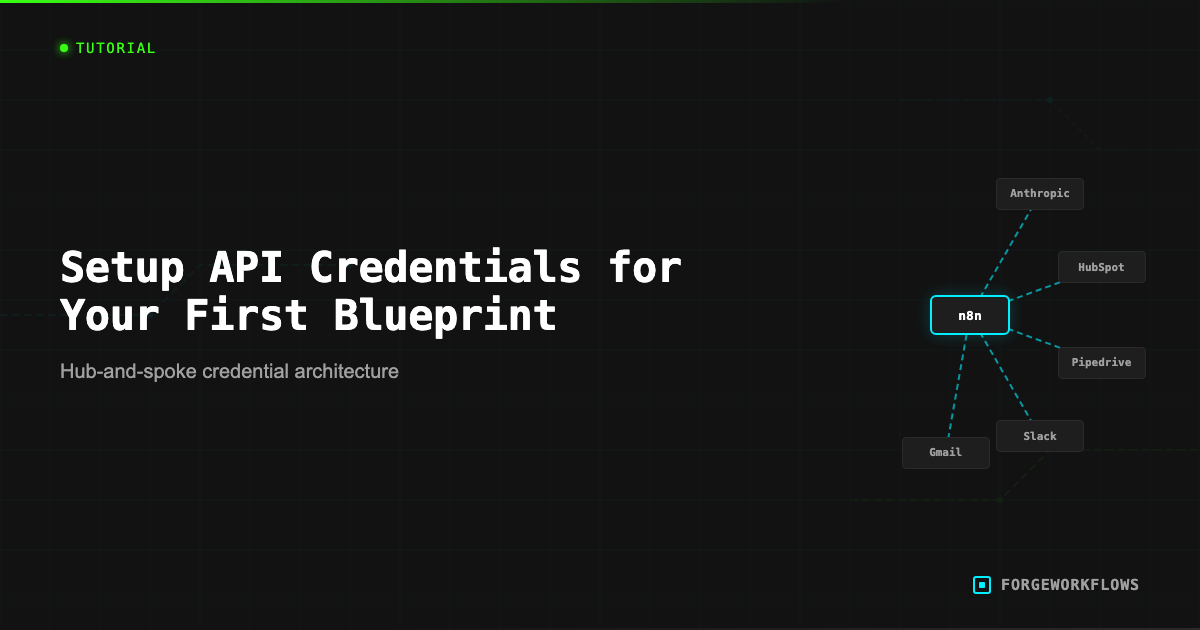
What Are Credentials in n8n
Every external service that an n8n workflow calls - whether it is a reasoning model API, a CRM, a messaging platform, or an email provider - requires authentication. In n8n, these authentication details are stored as credentials: named entries that contain API keys, OAuth2 tokens, or basic auth usernames and passwords.
Credentials are stored encrypted in your n8n instance database. They are never exposed in the workflow JSON itself, which means you can share or back up your workflow file without leaking secrets. When you import a ForgeWorkflows Blueprint, the credential slots are empty - the workflow knows it needs a "HubSpot API" credential, but the actual token is yours to provide.
Most Blueprints require between 2 and 5 credentials. The exact list is documented in the Blueprint README and the product page dependency matrix. For instance, the Contact Intelligence Agent requires CRM and enrichment API credentials, while the Outbound Prospecting Agent adds messaging platform credentials on top of those. Before you start configuring, gather all your API keys and tokens in one place. A password manager works well for this.
The sections below cover the four most common credential types you will encounter across the ForgeWorkflows catalog.
Credentials are encrypted at rest in n8n. They never appear in the exported workflow JSON. This means you can safely back up and share workflow files without exposing secrets.
Anthropic API Key
Every ForgeWorkflows Blueprint that uses a reasoning-grade LLM calls the Anthropic API. Here is how to get your key and configure it:
- Go to console.anthropic.com and sign in (or create an account).
- Navigate to API Keys in the left sidebar.
- Click Create Key. Give it a descriptive name like "n8n-forgeworkflows".
- Copy the key immediately - Anthropic only shows it once.
- In n8n, open any node that calls the Anthropic API (usually labeled "Reasoning Agent" or similar).
- Click the Credential dropdown, select Create New Credential, choose Anthropic.
- Paste your API key and click Save.
Billing: Anthropic charges per token (input and output). Every Blueprint product page lists the ITP-measured cost per execution so you can estimate monthly spend before you commit. New Anthropic accounts may have a lower rate limit tier - if you hit rate limits during testing, check your account tier in the Anthropic dashboard and request an increase if needed.
Security: Treat this key like a password. Do not commit it to version control, paste it in Slack, or store it in plain text files. The n8n credential store is the right place for it.
Anthropic only shows your API key once at creation time. Copy it immediately to your password manager. If you lose it, you must generate a new one.
CRM Credentials: HubSpot and Pipedrive
Most sales and RevOps Blueprints integrate with a CRM. The two most common are HubSpot and Pipedrive. Here is how to configure each.
HubSpot (OAuth2):
- In n8n, open the HubSpot node and create a new credential.
- Select OAuth2 as the authentication method.
- n8n will display a Client ID and Client Secret field. You get these from your HubSpot developer account: go to developers.hubspot.com, create a private app, and note the credentials.
- Set the required scopes:
crm.objects.contacts.read,crm.objects.deals.read,crm.objects.deals.write- plus any additional scopes listed in the Blueprint README. - Click Connect. HubSpot opens an authorization window. Approve the connection.
- n8n stores the refresh token and handles token renewal automatically.
Pipedrive (API Token):
- Log into Pipedrive. Go to Settings > Personal Preferences > API.
- Copy your personal API token.
- In n8n, open the Pipedrive node, create a new credential, select API Token.
- Paste the token and save.
Pipedrive tokens do not expire, but they are tied to your user account permissions. If you need the workflow to access all deals (not just yours), use an admin account token or set up a dedicated integration user.
See Blueprints that integrate with HubSpot at /blueprints/integration/hubspot and Pipedrive at /blueprints/integration/pipedrive.
Communication Credentials: Slack and Gmail
Blueprints that send notifications or read messages typically integrate with Slack and Gmail.
Slack (Bot Token):
- Go to api.slack.com/apps and create a new app (or use an existing one).
- Under OAuth & Permissions, add the scopes listed in the Blueprint README. Common scopes:
channels:read,chat:write,users:read. - Install the app to your workspace. Copy the Bot User OAuth Token (starts with
xoxb-). - In n8n, create a new Slack credential. If using the native Slack node, select OAuth2 and complete the flow. If using HTTP Request with Header Auth, set the header name to
Authorizationand the value toBearer xoxb-YOUR-TOKEN.
Critical: The Bearer prefix is required. Omitting it produces a not_authed error. After adding new OAuth scopes in Slack, you must reinstall the app - the old token is invalidated when scopes change.
Gmail (OAuth2):
- In the Google Cloud Console, enable the Gmail API for your project.
- Create OAuth2 credentials (Web Application type).
- Add the n8n redirect URI:
https://your-n8n-instance/rest/oauth2-credential/callback. - In n8n, create a Gmail credential with your Client ID and Secret, then complete the OAuth flow.
Gmail OAuth tokens expire after a period of inactivity. If a Blueprint that sends Gmail suddenly fails with a 401, reconnect the credential in n8n to refresh the token.
Browse Blueprints that use Slack at /blueprints/integration/slack.
When adding Slack HTTP Header Auth: the value MUST be "Bearer xoxb-YOUR-TOKEN" - one space, no double spaces, no trailing whitespace. Missing the Bearer prefix causes not_authed errors.
Cost Expectations
Understanding credential-related costs helps you budget before deployment. Here is what each credential type costs to use:
- Anthropic API: Per-token billing. ITP-measured costs are listed on every product page. For most Blueprints, a single execution costs between $0.01 and $0.15 in API fees, depending on the number of agents and the reasoning tier assigned to each. Monthly spend depends on execution frequency - a Blueprint running 100 times/month at $0.05/run costs $5/month in Anthropic fees.
- HubSpot: API access is included in HubSpot Professional and Enterprise plans. Free and Starter plans have limited API access. Check your HubSpot plan tier.
- Pipedrive: API access is included in all paid plans. Rate limits vary by plan: Essential allows 80 requests/2sec, Professional allows 160/2sec.
- Slack: Bot tokens are free. The Slack API has rate limits (typically 1 request/second for chat.postMessage), but Blueprints are designed to stay within these limits under normal operation.
- Gmail: Google Workspace includes Gmail API access. Free Gmail accounts have tighter quotas.
The biggest variable cost is the Anthropic API. Use the ITP-measured per-execution cost (listed on the product page) multiplied by your expected monthly execution count to estimate spend. For detailed guidance on tracking and reducing LLM costs, see How to Monitor Workflow Costs and Optimize LLM Spend.
Estimate your monthly Anthropic spend: per-execution cost (from product page) x expected monthly runs. Most teams find the total is under $20/month for a single Blueprint.
Frequently Asked Questions
Which API credentials do I need before deploying my first blueprint?+
It depends on the blueprint. Most require an Anthropic API key for LLM calls plus credentials for your CRM (HubSpot or Pipedrive) and communication tools (Slack or Gmail). The product page lists exact requirements under the Tech Specs section.
Where do I create API keys for Anthropic and my CRM?+
Anthropic keys are generated at console.anthropic.com under API Keys. HubSpot uses OAuth2 via a private app in Settings > Integrations. Pipedrive provides an API token in Settings > Personal Preferences. Each platform has a developer portal where you generate and manage keys.
How do I store credentials securely in n8n?+
n8n has a built-in credential manager that encrypts keys at rest. You create a credential entry for each service (Anthropic, HubSpot, Slack, etc.), paste the key once, and reference it by name in the workflow. Keys are never stored inside the workflow JSON itself.